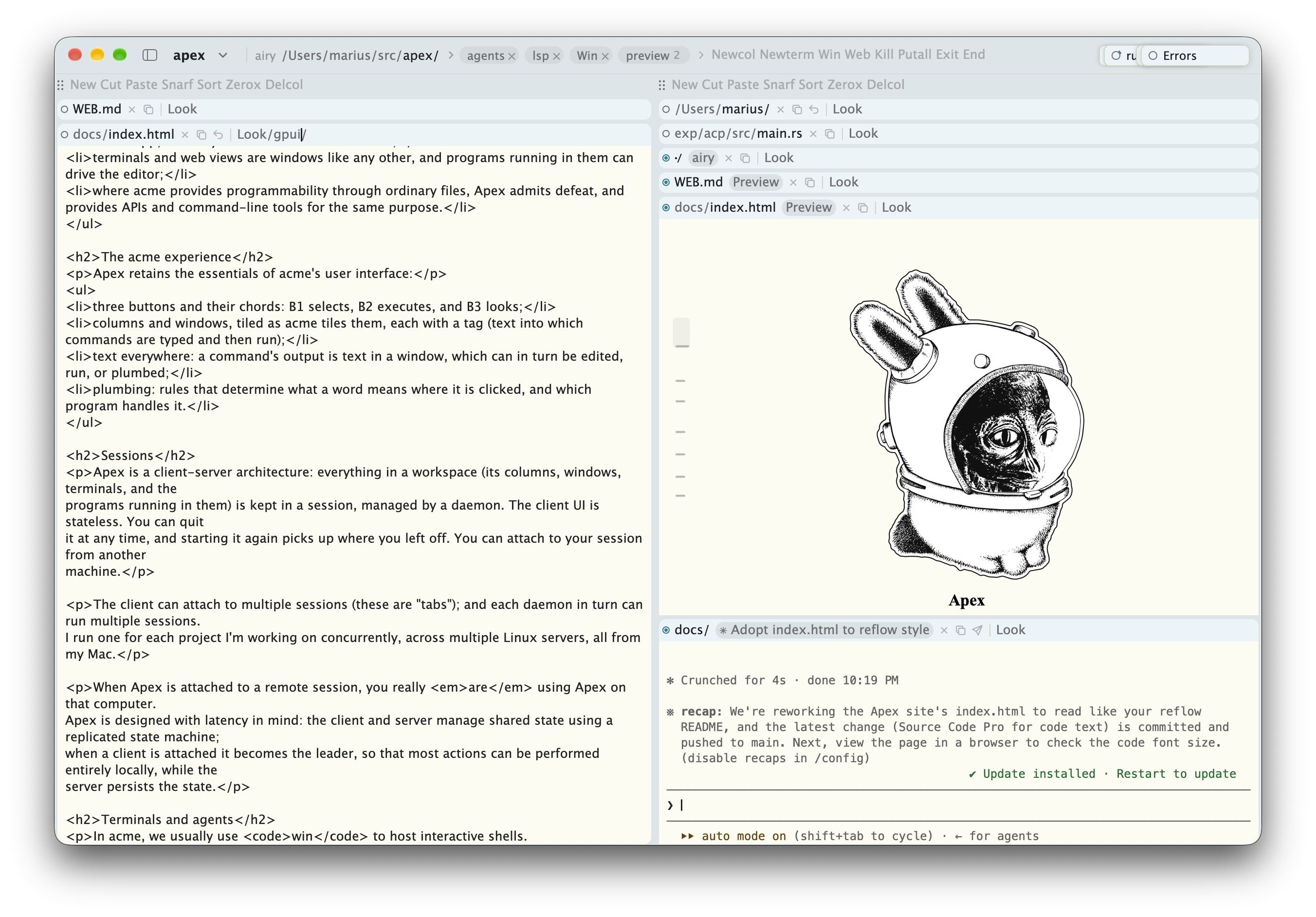

Apex is a modernized acme. Like acme, Apex is text first, mouse oriented, and has plumbing everywhere; it aims to be fast, simple, and restrained. Apex adopts acme's way of working, and then adds what modern software engineering workflows increasingly require: remoting, terminals, and web views. Apex ships as a single Mac app, implementing acme's user interface paradigm with modern touches and affordances. While Apex feels best with a three-button mouse, it is equally usable on a laptop with a trackpad.
Apex differs from acme in a few important ways:
Apex retains the essentials of acme's user interface:
Apex is a client-server architecture: everything in a workspace (its columns, windows, terminals, and the programs running in them) is kept in a session, managed by a daemon. The client UI is stateless. You can quit it at any time, and starting it again picks up where you left off. You can attach to your session from another machine.
The client can attach to multiple sessions (these are "tabs"); and each daemon in turn can run multiple sessions. I run one for each project I'm working on concurrently, across multiple Linux servers, all from my Mac.
When Apex is attached to a remote session, you really are using Apex on that computer. Apex is designed with latency in mind: the client and server manage shared state using a replicated state machine; when a client is attached it becomes the leader, so that most actions can be performed entirely locally, while the server persists the state.
In acme, we usually use win to host interactive shells.
Win is great, and I prefer it over terminal emulators.
However, coding agents like Claude Code or Codex have made
terminal emulators an essential part of software engineering.
So Apex provides them. Apex's Newterm command opens a new terminal emulator window.
Just like every other aspect of Apex, this is programmable: a tool can inspect its state, generate input, etc.
The bundled agent tool (apex tool agent) does just this: it uses agent hooks to watch for terminal windows running
agents, updates window states, and generates notifications when the agent needs user input.
The apex command can do everything the UI can. A
workspace can thus be set up by a script:
s=$(apex new-session work ~/src/apex)
apex -session $s open README.md
apex -session $s term new make watch
Programs can also attach to a session directly, using the libraries for Rust and Go, or through a bridge that speaks JSON-RPC. Such programs can provide plumbing rules, own windows, and respond to what is clicked in them. They can also implement fully stateful tools, just like in acme.
Apex is implemented in Rust using GPUI
with more than a little help from Claude.
The app runs on macOS; the daemon and
the apex command also run on Linux, where the app attaches
to them over ssh. To build the app:
% git clone https://github.com/mariusae/apex
% cd apex
% mac/build-app.sh
This produces target/Apex.app.